Breastfeeding & Baby Tracker
- 4.9
- Rating
- 100.00K
- Installs
- Free
- Price

 Analysis by App-foxy
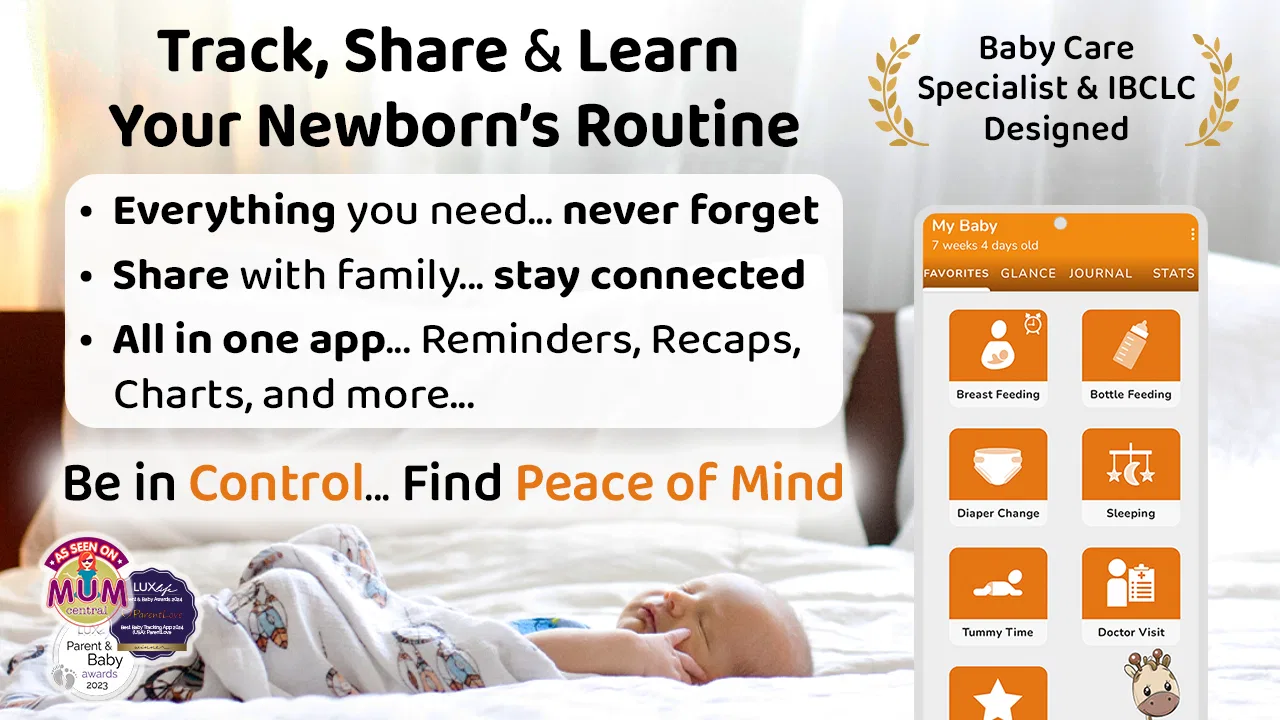
During the first weeks with a newborn, I found that the hardest part of tracking care was not remembering that something happened, but remembering exactly when, how long, and what needed attention next. Breastfeeding & Baby Tracker is designed for that narrow, demanding period. It brings feeding, pumping, bottles, diapers, and sleep into one parenting app instead of leaving everything scattered across notes, memory, and separate timers. My overall view is positive: it is most useful when you want a practical record of patterns rather than a complicated parenting dashboard.
The app is free to start, carries an Everyone content rating, and comes from ParentLove Baby Tracker by Coquisoft. Its focus is clearly newborn care, not general family organization. That specialization matters. I would not choose it as a broad child-development planner, but I would recommend trying it to a parent who is exhausted, sharing care with another adult, or trying to make feeding and diaper changes easier to discuss with a healthcare professional.
How the tracker fits into a tiring newborn routine
The basic appeal is immediate: after a feed, pump session, diaper change, or sleep period, I can record it while the information is still fresh. That sounds simple, but it solves a real problem. Newborn days often blur together, especially when a feeding happens at night and the next task begins before I have fully woken up. A dedicated log reduces the mental work of reconstructing the day later.
You May Also Like

 Blood Strike: 2.5 Anniversary
Blood Strike’s Loadouts Turn Every Drop Into a Tactical Gamble
A close look at Blood Strike’s custom loadouts: how fast access to signature weapons reshapes its battle royale rhythm, rewards preparation, and narrows the gap between fights.

 Pandora - Music & Podcasts
Pandora’s Music Is Easy to Start, but Harder to Recover
Pandora’s strength is its low-effort path from a seed to a station. Its weak spot is how much confidence it asks you to place in connection, setup, and quiet recovery.

 8 Ball Pool
 Is Built on Rivalries, Rematches, and Routine
A close look at the rivalries, rematches, shared routines, and unanswered safety questions that turn a quick pool match into a persistent mobile community.

 Samsung Music
’s Quiet Strength Is Playing What You Already Own
Its reach comes less from spectacle than from dependable access to a personal library. That simplicity is both the app’s strongest retention engine and its ceiling.

 AccuWeather: Weather Radar
AccuWeather Review: A Quick, Clear Forecast for Everyday Decisions
For everyday plans, the best forecast is the one you can understand quickly. AccuWeather makes rain timing, radar, and local conditions easy to act on, with a few trade-offs.

 Hill Climb Racing
Why Hill Climb Racing Still Turns Crashes Into One More Run
A tiny car, a bumpy hill and one more upgrade: Hill Climb Racing keeps resurfacing because its simple chaos makes every near-miss feel personal.
More From Our News Desk



I also like that the app treats breastfeeding and pumping as related but separate parts of care. A parent may need to remember which side was used, how long a session lasted, or when milk was expressed. A bottle-feeding routine has different details again. Keeping those events in the same place makes the record more useful than a generic reminder app, where every entry would need to be explained manually.
The same applies to diapers and sleep. These events are not exciting, but they are exactly the kind of information parents end up discussing at home or during an appointment. When several categories are logged together, I can look at the day as a sequence rather than isolated notes. That makes it easier to notice whether a difficult evening followed a long gap between feeds, a short nap, or a cluster of changes.
One practical workflow is to use the app as a handoff tool. If one parent handles the early morning while the other sleeps, the second parent does not need a long verbal update. They can check the recent entries and see what happened. This is especially helpful when both adults are tired and small details are easy to mishear. I would still use conversation for anything important, but the log gives that conversation a reliable starting point.
What makes the record more useful than a simple note
A note on a phone can record “fed at 2 a.m.”, but it usually does not preserve the context in a way that is easy to scan later. A tracker encourages consistent entries, which is valuable because comparisons require similar information. If one feed is recorded with a time and another only with a vague comment, the record becomes much less helpful.
My advice is to decide before the first busy day which details you genuinely need. If you try to capture every possible observation, logging can become another chore. For many families, the high-value basics are feeding times, feeding type, pumping information when relevant, diaper changes, and sleep periods. The app works best when it supports that routine instead of making the parent feel responsible for producing a perfect scientific record.
There is also a useful distinction between tracking for memory and tracking for interpretation. I would not treat every pattern in the log as a diagnosis. A baby’s sleep and feeding can vary for ordinary reasons, and a short record can be misleading. The app can help me describe what happened; it cannot replace professional advice when something seems wrong.
A realistic day with the app
Imagine a morning after a broken night. I record a feed, change a diaper, and put the baby down for a nap. Later, another adult asks when the last feed happened and whether the baby slept. Instead of trying to reconstruct the sequence from memory, I check the recent entries. In the afternoon, I add a pumping session and a bottle, then continue the same record through the evening.
The benefit is not that each tap changes parenting. The benefit is that the accumulated record lowers uncertainty. If the baby becomes unsettled, I can review the recent routine without guessing. If a nurse or doctor asks about feeding and output, I have something more dependable than “I think it was several times.” That is a modest feature in theory, but a meaningful one when sleep deprivation makes ordinary recall unreliable.
A second use case is a parent who is breastfeeding directly but occasionally pumping. Without a dedicated log, it is easy to remember the nursing sessions while forgetting the expressed milk or mixing up when pumping happened. Keeping both in one timeline can make the day easier to manage. I would still label or handle stored milk according to the guidance that applies to my situation; the tracker is a record, not a substitute for safe storage instructions.
Where the app earns its place—and where it creates friction
The strongest part of Breastfeeding & Baby Tracker is its focused scope. Instead of asking me to adapt a general calendar or a blank spreadsheet, it starts from the events that dominate newborn care. That makes the first setup less intimidating for someone who wants to begin quickly. The app’s store summary emphasizes breastfeeding, feeding, pumping, diapers, and sleep, and that combination reflects the practical questions parents tend to ask themselves repeatedly during the day.
Another strength is continuity. A parent can begin with breastfeeding and later add pumping or bottle entries without abandoning the same care record. That matters because feeding arrangements often change. Some families combine direct nursing, expressed milk, and formula; others change their routine as the baby grows. A tracker that can hold different kinds of entries is more useful than one built around only a single feeding method.
The app has also built a substantial user base, with an average rating of 4.9 from around 11 thousand ratings and more than 4 thousand written reviews. I read those figures as a sign that the focused approach connects with many parents, not as proof that every household will enjoy the workflow. High ratings cannot remove the personal question of whether logging feels calming or burdensome.
Its availability on older Android devices is another practical advantage for families who do not replace phones frequently. The listed minimum is Android 5.0, while the current version is 10.5.2. That broad compatibility can be useful if one caregiver uses an older phone or if the household keeps a spare device nearby for nighttime care.
The meaningful weakness is the effort required to maintain a complete record. A tracker is only as helpful as the entries I make, and newborn care creates many moments when opening an app feels like one task too many. If I skip several events, the timeline can give a false impression of a quiet day. That is not a software bug so much as an unavoidable trade-off in this type of app, but it should influence the decision to install it.
I would also be careful about turning the record into a source of anxiety. Some parents feel reassured by exact times; others begin checking the log constantly and worrying whenever a pattern changes. If tracking makes me focus more on the screen than on the baby, I would simplify the routine or stop using it. The best approach is to record information that answers a real question, not to chase completeness for its own sake.
There can be friction when more than one person is caring for the baby. A shared record is helpful only if everyone follows the same habits. One person may log immediately, while another may wait and enter several events together. That delay can make the timeline less trustworthy. I would agree on a simple household rule, such as recording important events soon after they happen and using the same interpretation for feeding and sleep entries.
The free entry point is welcome, but in-app purchases range from $9.99 to $39.99 per item. That means I would explore the free experience carefully before deciding whether any paid option is worth it for my routine. The app is not automatically a bargain simply because the initial download costs nothing. A parent who only wants an occasional note may prefer a basic notes app, while a parent who depends on structured tracking may find additional spending easier to justify.
Small habits that improve the experience
My first tip is to establish a “minimum useful log.” For example, I might record every feeding and diaper change but only track sleep when I need to understand a difficult day. This keeps the app from becoming a second job. If a healthcare professional has asked for specific information, that request should determine what gets logged rather than a desire to fill every category.
My second tip is to review the day at a calm moment instead of repeatedly checking after every entry. A short review can reveal missing information and help with the next handoff, while constant monitoring encourages overinterpretation. The app is better as a shared memory aid than as a live scoreboard.
My third tip is to use consistent descriptions for mixed feeding. If a household uses breastfeeding, pumping, and bottles, everyone should know which event to record and when. Otherwise, the timeline may look complete while hiding important differences. This is one of the less obvious trade-offs: more categories create a richer record, but they also demand clearer habits.
Finally, I would keep the app’s role limited during medical conversations. Bring the relevant history, explain what was observed, and ask questions. Do not assume that a neat timeline proves a cause. The value of the record is that it helps communicate accurately; interpretation still belongs to the parent and qualified professionals together.
Who should choose it, and who should skip it?
I think it is a strong fit for new parents who want one place for feeding, pumping, diapers, and sleep. It is particularly suitable when two caregivers share responsibilities, when a parent is pumping alongside nursing, or when remembering the last event has become stressful. It can also help a parent prepare for a conversation by turning scattered memories into an organized account.
I would be more cautious if I already use a family organizer that handles these tasks comfortably. Switching systems has a cost, and duplicate logging is worse than using one simple method consistently. I would also skip it if tracking tends to increase my anxiety or if I know I will resent recording every event. In those cases, a short handwritten note or a very simple phone note may be more sustainable.
It is not the right choice for someone looking primarily for developmental activities, a broad vaccination manager, or a complete household planner. Its identity is narrower and more practical. That narrowness is its advantage for newborn care, but it also means it should not be judged as an all-purpose parenting platform.
For parents wondering whether they need to pay, I would begin with the free version and use it through several ordinary days, including at least one difficult night. That test reveals more than a quick setup session. If the logging flow saves time and the record genuinely helps the household, consider whether the available in-app purchase is worthwhile. If it feels like administrative work, spending more will not solve the underlying mismatch.
The app is free to download, although optional in-app purchases are listed between $9.99 and $39.99 per item. It is rated for Everyone, which fits the fact that it is a caregiving utility rather than entertainment. It has been available since October 31, 2015, giving it a long presence in the parenting-app space, and its install count is over 100 thousand.
My final recommendation
Breastfeeding & Baby Tracker succeeds because it understands a specific problem: newborn care produces too many small, important events for a tired person to hold in memory. By bringing feeding, pumping, bottles, diapers, and sleep into one focused record, it can make handoffs clearer and conversations more precise. Its best feature is not complexity; it is the usefulness of having the right categories close together.
That focus comes with a cost. Logging can become tiring, inconsistent entries reduce the value of the timeline, and some parents may find detailed tracking emotionally unhelpful. The optional purchases also deserve a careful look before upgrading. I would not recommend forcing the app into a family routine that already works.
For a parent who wants a dedicated newborn log and is willing to keep the routine simple, I think it is worth trying. Use it selectively, agree on a shared method with other caregivers, and treat the entries as helpful evidence rather than a judgment on parenting. With that mindset, this app becomes a practical companion during a demanding stage, not another source of pressure.
FAQs for Breastfeeding & Baby Tracker
01What features does the Breastfeeding & Baby Tracker app offer?
The Breastfeeding & Baby Tracker app offers a comprehensive suite of features to support new parents. It includes tools for tracking feeding times, diaper changes, sleep patterns, and growth milestones. Additionally, the app provides reminders for feeding sessions and allows users to log pumping sessions, making it a versatile tool for managing a newborn’s routine.
02Is the Breastfeeding & Baby Tracker app user-friendly for new parents?
Yes, the Breastfeeding & Baby Tracker app is designed with new parents in mind. The interface is intuitive, featuring easy navigation and clear instructions. The app offers customizable settings and quick access to all tracking tools, ensuring that even sleep-deprived parents can effectively use it without frustration.
03Can multiple caregivers use the Breastfeeding & Baby Tracker app?
Absolutely, the Breastfeeding & Baby Tracker app supports multiple users. This feature allows parents and other caregivers to share access, ensuring everyone is informed about the baby’s progress. Data syncs across devices in real-time, making it convenient for all involved in the baby’s care.
04Does the app offer data analysis for tracking my baby’s growth?
Yes, the app provides detailed data analysis and charts to monitor your baby’s development. You can easily view trends over days, weeks, or months, helping you understand your baby’s growth patterns. This feature is especially useful during pediatric visits, providing a comprehensive overview of your baby's progress.
05Are there in-app purchases or subscriptions required for full access?
While the Breastfeeding & Baby Tracker app offers many features for free, there might be premium features that require in-app purchases or subscriptions. These can include advanced data tracking, personalized tips, or ad-free experiences. It’s advisable to check the app store listing for specific pricing details before downloading.
Pros
- User-friendly interface for easy tracking.
- Includes reminders for feeding times.
- Syncs across multiple devices seamlessly.
- Offers detailed growth and health charts.
- Supports multiple children tracking.
Cons
- Occasional sync issues reported.
- Some features require in-app purchases.
- Limited customization for notifications.
- Ads can be slightly intrusive.
- Initial setup can be time-consuming.

Breastfeeding & Baby Tracker
Gallery